
How to Track Your USPS Shipments

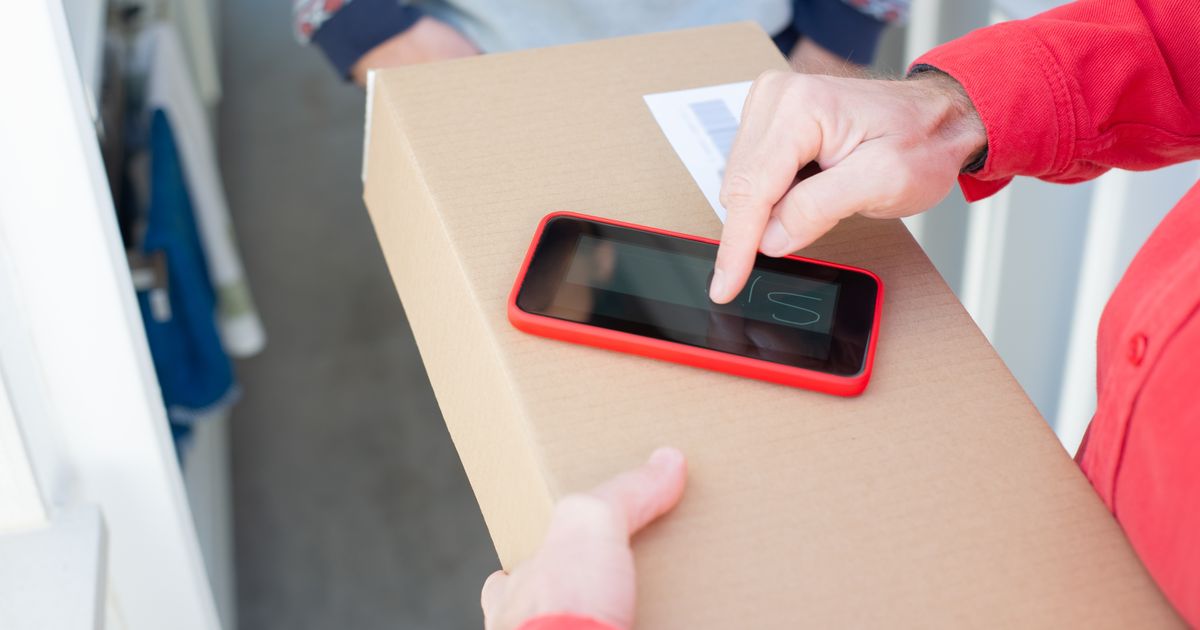
Every USPS shipment comes with a tracking number — a free, built-in tool that tells you and your customer exactly where a package is at any moment. Whether you are a first-time sender or a high-volume seller fulfilling dozens of orders a day, knowing how to read and share USPS tracking data eliminates guesswork, reduces customer support inquiries, and gives every shipment a professional paper trail from pickup to doorstep.
What a Tracking Number Is
A USPS tracking number is the package's permanent identifier in the USPS network. Every label generated through any USPS shipping platform comes with one — typically twenty to twenty-two digits long. The number is printed on the label as a barcode and as human-readable text underneath it.
The tracking number is the only piece of information you and your customer need to follow a package through every stage of its journey. No account login is required to check status; the number alone unlocks the full history.
Tracking numbers are assigned at label creation — before USPS physically receives the package.
The number format varies slightly by service, but all are compatible with the same USPS tracking system.
Once USPS scans the barcode at the first facility, the tracking record goes live and updates in near real time.

Where to Track a USPS Package
USPS offers several ways to check a package's status, and the best option depends on how often you need the information and how many packages you are managing at once.
USPS tracking website (usps.com/track). The official tracking tool is free and works for every USPS tracking number. Paste the number into the search box and you will see a chronological list of every scan: when the carrier picked it up, which sorting facilities it passed through, when it arrived at the destination post office, and when it was delivered.
Your shipping platform's order history page. For higher-volume sellers, most shipping platforms display the same tracking data alongside order details — no need to copy a number into a separate tab.
USPS Informed Delivery. Recipients can sign up for daily email digests that preview incoming mail and packages. This is useful for buyers who want automatic updates without actively searching a number.
What the Tracking Statuses Mean
USPS uses a handful of standard status messages. Each one maps to a specific point in the delivery process, and knowing what they mean helps you answer customer questions quickly and accurately.
Pre-Shipment. The label has been generated but USPS has not physically received the package yet. This is normal for a few hours after printing. If the status stays at Pre-Shipment for more than two days, drop the package at any USPS location to trigger the first scan.
Accepted. USPS has scanned the package at a post office or pickup location. The shipment is officially in the network.
In Transit. The package is moving through the USPS network. Updates may be sparse — it is not unusual for a package to go a full day between scans, especially over weekends or holidays.
Out for Delivery. The package is on the carrier's route and should be delivered that day.
Delivered. The carrier has scanned the package as delivered. The status includes the delivery date, time, and — where available — the delivery location (mailbox, front door, etc.).
Delivery Attempt Failed. The carrier tried but could not complete delivery. USPS will typically attempt redelivery the next business day, or the customer can schedule a pickup at the local post office.
Alert. Something is wrong — an address issue, a damaged package, or a customs hold on an international shipment. This status requires action, either from you or from the recipient.

Sharing Tracking with Customers
Proactively sharing a tracking number after a customer places an order is one of the simplest ways to reduce "where is my package?" support requests. When a customer has a tracking number, they can answer their own questions without contacting you.
The most common method is an automated shipping confirmation email that includes the tracking number and a direct link to the USPS tracking page. Most e-commerce platforms and shipping tools can generate and send these automatically the moment a label is printed.
Send the tracking number as soon as the label is created — not after the package is dropped off — so the customer has the information immediately.
Include a direct tracking link (e.g., a link to usps.com/track pre-populated with their number) so the customer only needs one click to check status.
If you manage customer support, bookmark the tracking URL for each open order so you can check status instantly when a customer writes in.
For high-volume operations, consider a shipping platform that aggregates tracking across all open orders in one dashboard, flagging any packages with Alert or delayed statuses that need attention.

Key Takeaways
Every USPS label includes a tracking number — typically 20 to 22 digits — at no extra cost.
The free USPS tracking tool at usps.com/track shows a full scan-by-scan history for any shipment.
Pre-Shipment status is normal after label creation; it goes live once USPS scans the package at a facility.
In Transit updates can be sparse — a gap of one to two days between scans does not necessarily mean a problem.
An Alert status requires action; check the full tracking history for details on what is holding the package.
Sharing tracking numbers proactively with customers reduces support inquiries and builds trust.
Tracking every USPS shipment is straightforward once you know where to look and what each status means. Send the tracking number the moment the label is printed, and both you and your customer will always know exactly where the package stands — from the first scan to the final delivery.
Further reading
Thermal Printers for eCommerce: Faster, Cheaper Shipping Labels
Thermal printers cut label costs and speed up fulfillment for eCommerce. See how they beat inkjet and laser, and how …
Read more
The Art of Packaging: How to Ship Like a Pro
Learn how to package like a pro: choose the right box size, cushion fragile items, seal with the H-taping method, …
Read more